Included inFreeProTeam
Plans that branch like git
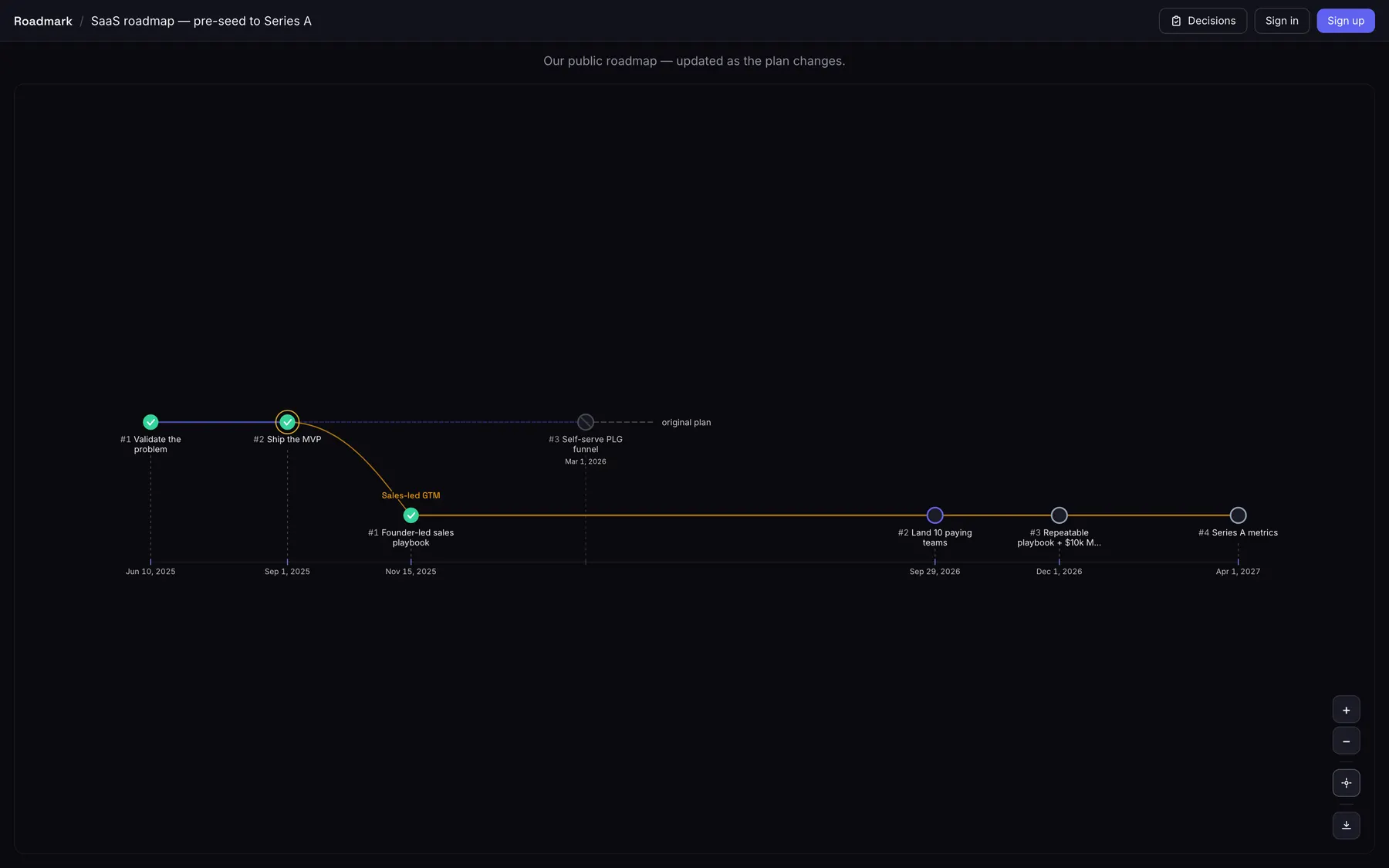
Fork your roadmap at any milestone. The path you took and the one you abandoned both stay on the canvas — the dotted "original plan" never disappears.
Included inFreeProTeam
A decision log on every pivot
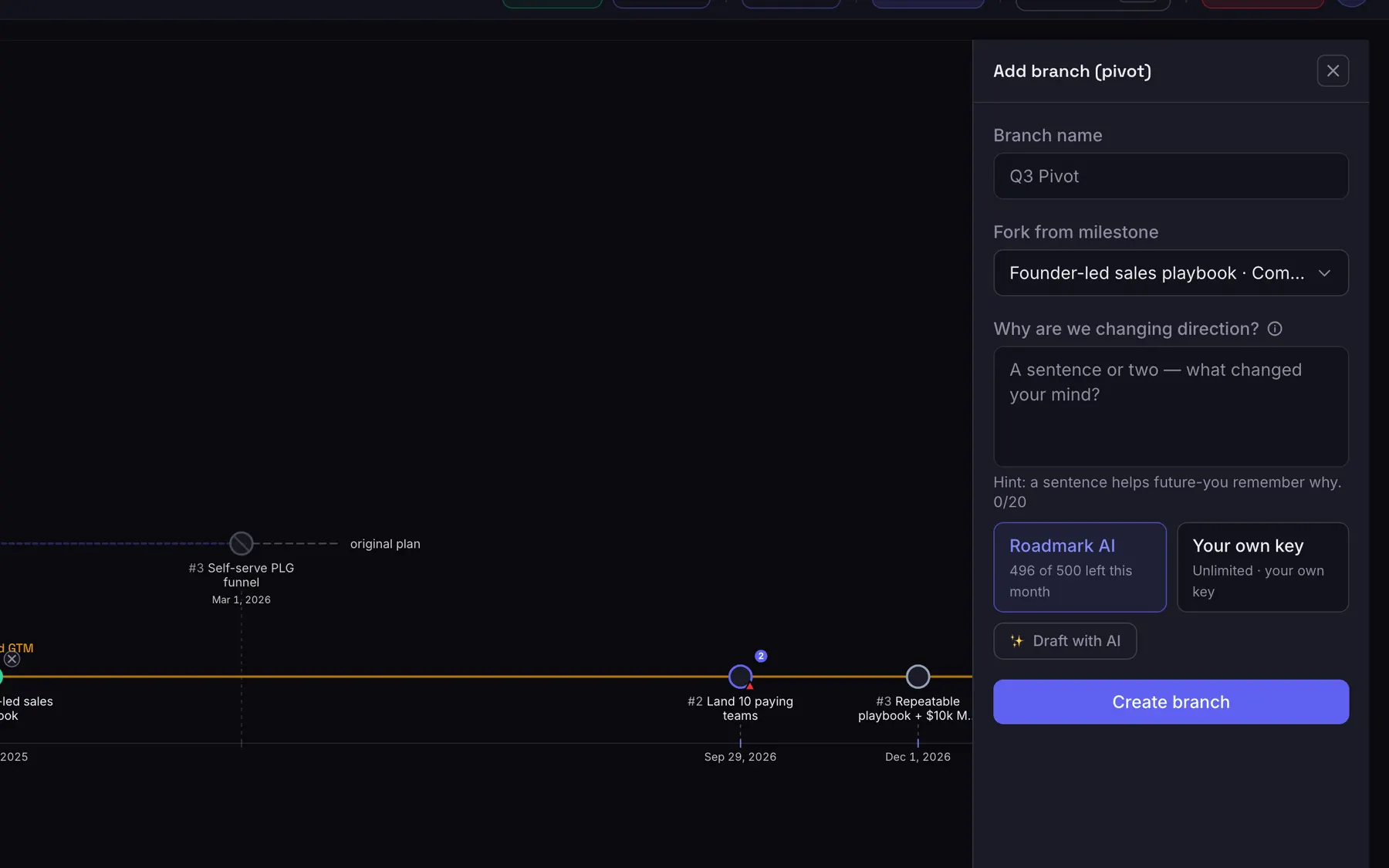
Roadmark refuses to create a branch without the reasoning behind it — it is a required field, not an optional note. Six months on, the argument is still attached to the plan.
Included inFreeProTeam
A canvas built for roadmaps, not tickets
Milestones on a real timeline, branches as lanes, at-risk milestones flagged for you. No sprint board, no backlog grooming.
Included inFreeProTeam
Say how confident you are — and keep the receipts
Rate each milestone honestly, and Roadmark records every date move by itself. "Slipped 14 days, twice" is a fact your roadmap keeps, not something anyone has to remember.
Included inFreeProTeam
Hover any milestone for the whole story
Status, branch, target date, how many people are waiting for it, and the reasoning behind the pivot it sits on — without opening anything or leaving the canvas.
Included inFreeProTeam
Import once, then never go stale
Pull the roadmap from Jira, Linear, Notion, monday, GitHub, Asana and more — then let Roadmark keep it in sync. Sync runs one way: we read your source and never write to it.
Included inFreeProTeam
Share a link, control what visitors see
Flip a board public for a read-only link, and decide per board whether visitors see risk flags, can react, or see your release tags. Read-only viewers never use a seat.
Included inFreeProTeam
The story behind the plan
Every public board gets a Decision feed — a shareable, chronological page of every pivot and the reasoning behind it. Send people why the plan changed, not just where it landed.
Included inFreeProTeam
Turn readers into an audience
Visitors vote on the milestones they want most — no login — and can leave an email to hear when one ships. Real demand, and an owned audience, straight from your roadmap.
Included inProTeam
Discussion where the decision is
Comment on a milestone and @mention teammates, right beside its date history — so the argument and the evidence live in one place instead of a thread nobody can find later.
Paid feature: Post comments & @mention teammates
Included inProTeam
Draft a roadmap with AI
Generate a starter set of milestones from your board description. Bring your own Anthropic, OpenAI or Google key for free — or use our managed pool on a paid plan and configure nothing.
Paid feature: Managed AI (no API key to bring)
Included inProTeam
Freeze the roadmap under a name
Capture the board as a named release — "Seed round, Feb 2026" — and it becomes immutable. That frozen state is the baseline everything else is compared against.
Paid feature: Roadmap releases, AI investor updates & stress-test
Included inProTeam
What moved since the last release
Compare a tagged release to where the roadmap is now and get the exact delta — which milestones changed, and from which date to which. No hunting through history.
Paid feature: Roadmap releases, AI investor updates & stress-test
Included inProTeam
The investor update, drafted from the diff
Turn that delta into a founder-voiced update you can copy or email — grounded only in what your roadmap actually says. A starting point you edit, never an autopilot.
Paid feature: Roadmap releases, AI investor updates & stress-test
Included inProTeam
A pre-mortem before anyone else finds the risk
Roadmark flags where your confidence ratings and slip history disagree — "high confidence, but the date already moved twice". Risks and questions, never decisions.
Paid feature: Roadmap releases, AI investor updates & stress-test
Included inProTeam
Password-protect the link, or let it expire
Send a board to an investor without publishing it to the world: set a password, an expiry date, or both, on the same link you already shared.
Paid feature: Password-protected & expiring share links
Included inProTeam
Embed it on your site, unbranded
Copy one iframe and drop the live roadmap — or the decision feed — into your own page; it updates itself. On a paid plan the "Made with Roadmark" badge comes off, so it reads as yours.
Paid feature: Remove the "Made with Roadmark" badge
Included inProTeam
Bring the team in, with real roles
Invite by email — no account needed — and set each person to owner, editor or viewer. Invites are visible and revocable while they are still pending.
Included inTeam
Every change, on the record
An append-only feed of who changed what and when — milestones, branches, board settings, members, releases — filterable by type, person and date range.
Paid feature: Audit log
Included inTeam
See who is actually opening it
Views, unique and returning visitors, time on the board, and where they came from — for the shared link you sent. Your own visits are never counted.
Paid feature: Shared-link view analytics
Included inTeam
Know what your audience wants next
The milestones people are waiting for, ranked, with the confirmed subscribers behind them — and a CSV export so the audience is yours, not locked in here.
Paid feature: Milestone demand analytics & audience export